iOS Gamepad Bridge
A raw UDP bridge that unlocks your iPhone’s touch sampling rate to create a pro-grade, lag-free controller for Mac gaming.
Client
Personal Project
Platform
mobile-app
Deliverables
- ui-ux-design
- frontend-dev
- backend-dev
- fullstack-dev
- prompt-engineering
- product-strategy
The Challenge
Gaming on a Mac often requires carrying a bulky external controller (Xbox/PS5). Existing "Phone as Controller" apps rely on standard Wi-Fi protocols or Bluetooth implementations that introduce noticeable input lag (50ms+), making fast-paced games (like emulators or shooters) unplayable.
The Solution
We started with a standard WebSocket implementation transmitting JSON data. It worked, but felt "floaty." To fix this, we rewrote the networking layer to use Raw Binary UDP Packets. Instead of sending {"button": "A", "state": "pressed"}, we sent a single byte buffer. We also unlocked the iPhone's touch sampling rate to 120Hz, syncing it perfectly with the display refresh rate for 1:1 responsiveness.
Binary UDP Protocol
Replaced heavy JSON payloads with lightweight byte streams to achieve sub-10ms latency on local networks.
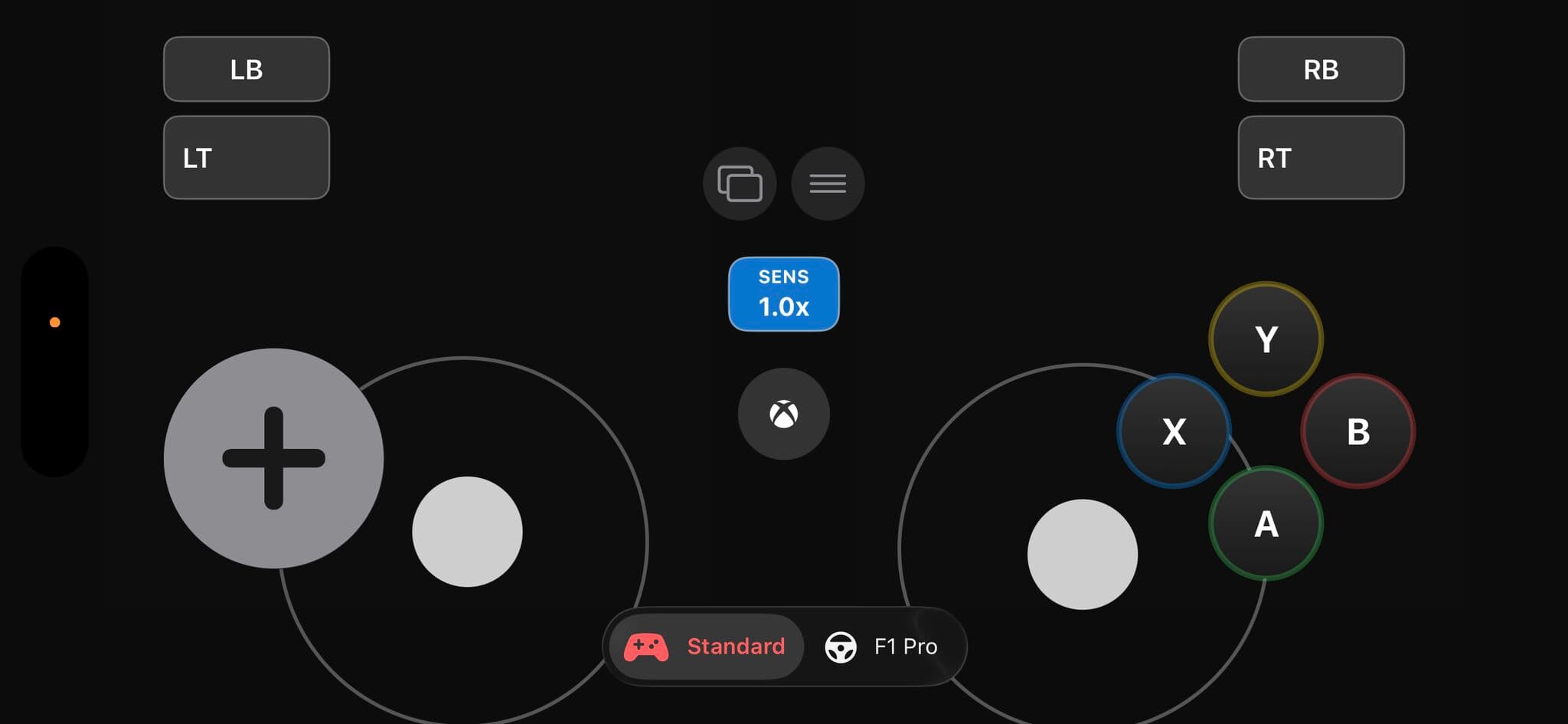
Floating D-Pad
The joystick creates its center point wherever the user first touches the left half of the screen, preventing "drift" errors common in touch controls.
F1 Pro Layout
A specialized HUD mode mimicking a Formula 1 steering wheel, with analog triggers mapped to the iPhone's 3D Touch (or varying touch surface area).
120Hz Polling
Explicitly overrides the standard 60Hz touch sampling to capture inputs at 120Hz for competitive-grade response times.
The Process
A dual-part system:
- The iOS Remote: A "blind-friendly" interface featuring a Floating Joystick that spawns wherever the thumb lands, eliminating the need to look at the screen.
- The Mac Bridge: A lightweight Node.js server that listens for UDP packets and triggers system-level key presses via
robotjs, effectively tricking the Mac into thinking a physical keyboard is being pressed.
Interface Gallery